Skip to content
DeepWave

DeepWave

Binaural beats and isochronic tones, generated right on your phone – for falling asleep, for focused work and for winding down.

  • Free to use
  • Offline
  • No account
  • No ads
  • No subscription
Get it on Google Play

For Android phones running Android 8 or later. Binaural beats need headphones; isochronic tones also work through the speaker.

Two sine waves with slightly different frequencies; their overlay swells and fades as a dashed envelope.

How it works

A binaural beat arises when each ear hears its own tone: from two slightly different tones you hear a slow swell and fade.

  1. Pick a preset

    More than 30 presets, sorted by occasion: sleep, focus, meditation, energy, creativity, sports, relaxation, Solfeggio and isochronic tones.

  2. Headphones on, start

    Binaural beats need headphones. Isochronic tones – a single tone that pulses rhythmically – also work through the speaker. Playback continues in the background.

  3. Adjust and take notes

    In the phase editor you set frequency, length, modulation and background of every phase. Afterwards you rate the session in the journal.

To be honest

Whether binaural beats measurably improve sleep or concentration is not scientifically settled; studies reach different conclusions. That’s why DeepWave promises no effect. It generates the tones cleanly and lets you note in the journal what works for you. DeepWave is not a medical device and does not replace medical treatment.

Features

Free

  • More than 30 presets in 9 categories
  • Binaural beats and isochronic tones
  • Solfeggio frequencies from 396 to 963 Hz
  • Phase editor, frequency curve and waveform view
  • Breathing guide with four patterns: box, 4-7-8, calming, energizing
  • Pink and brown noise as the background of a phase
  • Session journal with ratings and mood
  • Up to 3 custom presets, share sessions via link

Premium one-time

  • Ambient mixer with 8 sounds: rain, ocean, wind, campfire, stream, white, pink and brown noise
  • Sleep timer that gently fades everything out
  • Premium programs for sleep, focus and relaxation
  • Export sessions as WAV files
  • Statistics with streaks, top presets and total time
  • Unlimited custom presets

Add-ons separate

  • Sound alarm: wakes you with a frequency ramp that starts quietly and slowly gets louder, with a singing bowl at the wake time. Multiple alarms on chosen days, full screen over the lock screen, no headphones needed.
  • Rhythm track: an audible beat for walking meditation, breath pacing or steady movement – fixed tempo, a multi-step program or one cue per breath phase.

Take a look

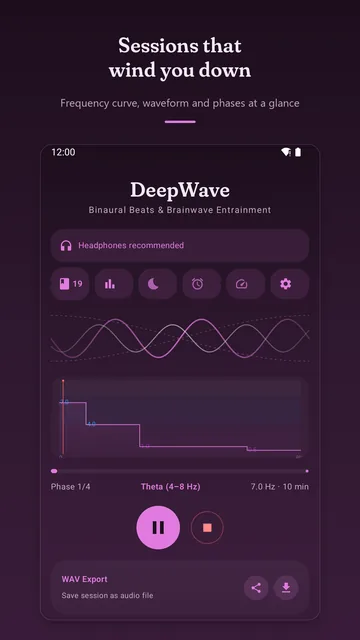
  • Main screen: two interlaced waves, below them the frequency curve of a four-phase session and the round pause button.
    Frequency curve, waveform and phases at a glance
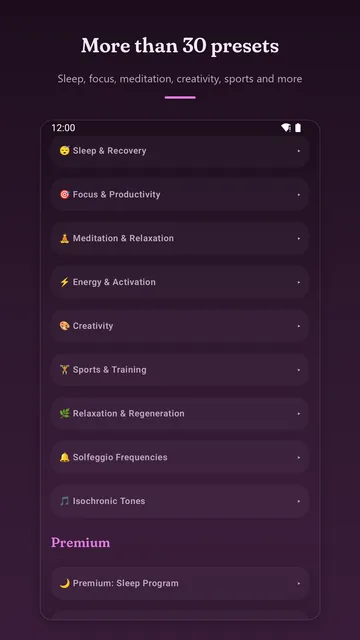
  • List of preset categories from “Sleep & Recovery” to “Isochronic Tones”, followed by the premium programs.
    More than 30 presets by occasion
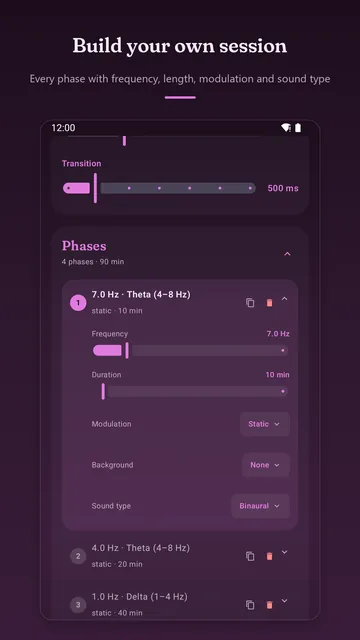
  • Phase editor: first phase at 7 Hz theta for 10 minutes, sliders for frequency and duration, choices for modulation, background and sound type.
    Set up every phase yourself
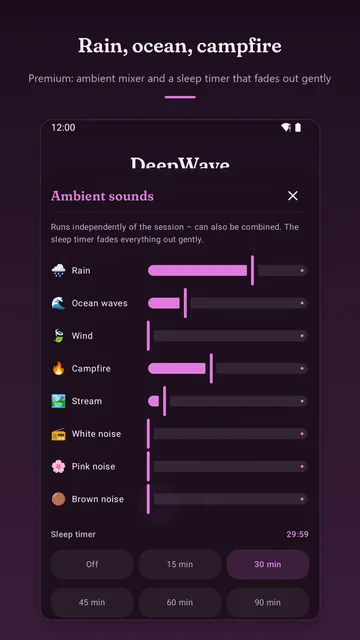
  • Ambient mixer with sliders for rain, ocean waves, wind, campfire, stream and three noise colors, below it the sleep timer set to 30 minutes.
    Premium: ambient mixer and sleep timer
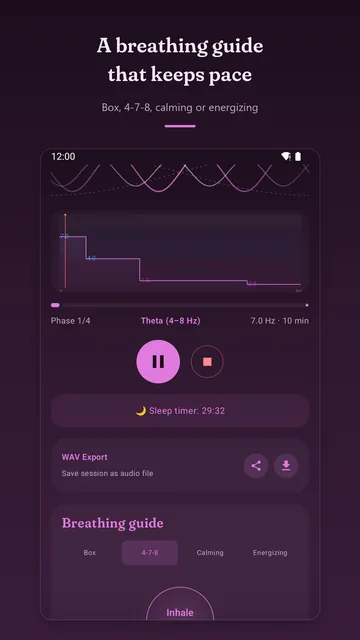
  • Running session with sleep timer and the breathing guide in the 4-7-8 pattern, a circle reads “Inhale”.
    A breathing guide that keeps pace
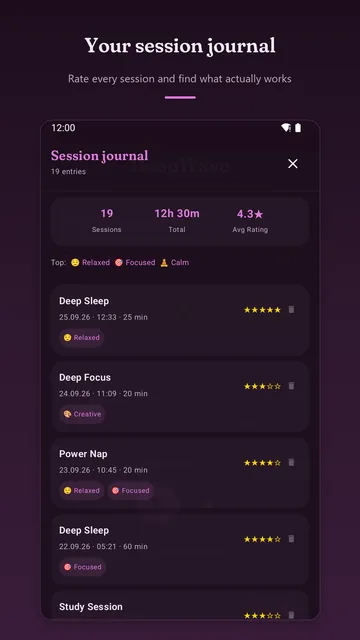
  • Session journal with 19 entries, total time and average rating, below it individual sessions with stars and mood.
    The journal keeps track of what works for you
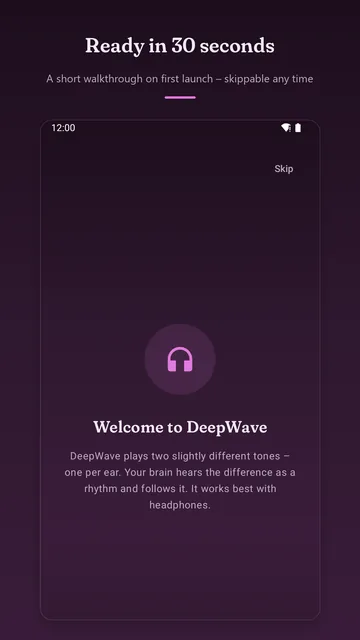
  • Welcome screen on first launch with a headphones symbol and a short explanation, a “Skip” button at the top.
    A short walkthrough on first launch
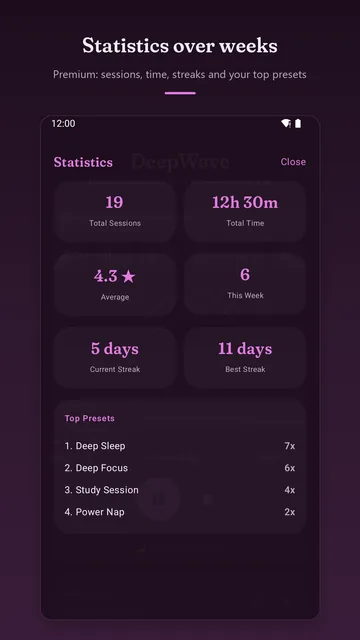
  • Statistics: 19 sessions, 12 hours 30 minutes in total, streaks in days and a list of the most-used presets.
    Premium: statistics over weeks

Who is it for?

Falling asleep

A calm preset, rain or ocean from the mixer on top, and the sleep timer fades everything out at the end. With the sound alarm, a ramp that starts quietly wakes you in the morning instead of a shrill beep.

Working and studying

Focus presets and a Pomodoro preset as an even backdrop for desk time – offline, with no ads breaking in.

Meditation and breathing

The breathing guide runs along with the session. The rhythm track gives an audible beat for walking meditation or steady breathing.

Tinkerers

Build sessions from your own phases, share them as a link or take them along as WAV files. DeepWave is open source (GPL-3.0) – the source code is on GitHub.

What’s free – and what costs money

No subscription, no ads. Everything that costs money is a one-time purchase through Google Play.

Free

  • All presets outside the premium programs
  • Binaural beats, isochronic tones, Solfeggio
  • Phase editor, breathing guide, journal
  • Up to 3 custom presets

One-time purchases

PremiumAmbient mixer, sleep timer, premium programs, WAV export, statistics, unlimited custom presets.$3.79
Sound alarmAdd-on, independent of Premium.$1.89
Rhythm trackAdd-on, independent of Premium.$1.89
Complete bundlePremium, sound alarm and rhythm track together. The app offers it as long as you own none of the three.$5.49

If you bought DeepWave when it was a paid app, you keep Premium automatically.

Prices in the United States as of October 2026 (in Germany: 3.99 €, 1.99 €, 1.99 €, 5.99 €). The price Google Play shows at checkout is binding.
FAQ

Do I need headphones?

For binaural beats, yes: the beat only arises when each ear hears its own tone. Isochronic tones, the ambient mixer and the sound alarm also work through the speaker.

Do I need an internet connection?

No. All tones, and the mixer sounds too, are generated in real time on your device. Only purchases go through Google Play.

Do binaural beats work?

That is not scientifically settled; studies reach different conclusions. DeepWave promises no effect, is not a medical device and does not replace medical diagnosis or treatment. If you have health concerns, talk to a doctor.

Is DeepWave available for iPhone?

No, DeepWave is only available for Android.

Does the app collect data?

No account, no ads, no trackers. Journal, custom presets and settings stay on your device. The details are in the privacy policy.

I got a new phone. Are my purchases gone?

No. Purchases are tied to your Google account and apply to all your devices. If they don’t show up right away, “Restore purchase” brings them back.

Which languages does the app support?

English and German.

I have a question or found a bug.

Two tones, one beat.

Free, offline, no account. Put on your headphones and try it.

Get it on Google Play